
Hackaday Belgrade 2018
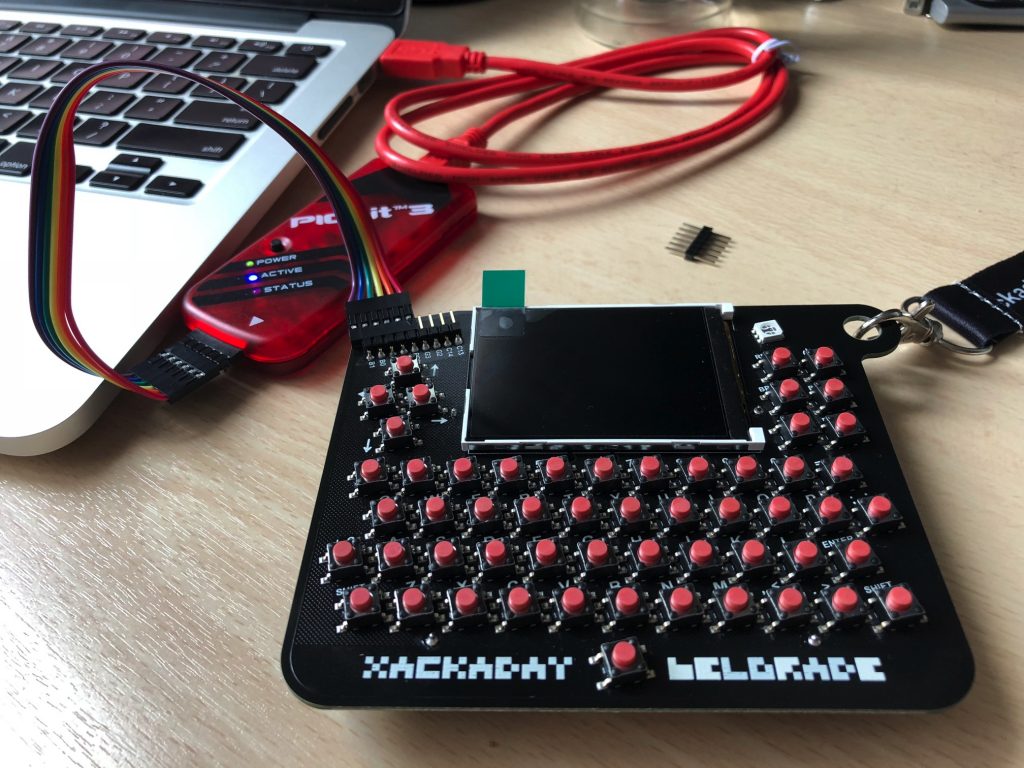
Hackaday organized a wonderful conference in Belgrade in May 2018. Traditionally, each participant received a special badge — this time a small computer based on a 32-bit Microchip PIC32 CPU that supports writing in customized BASIC. It's ideal as a small serial terminal with keyboard and display.
The Problem
The badge shipped with firmware v1.00 where the kin BASIC function (keyboard input) didn't work. To use the badge as a serial terminal, you need to flash a newer firmware. But because the badge uses a Microchip PIC controller (old school!), a simple USB-to-serial cable isn't enough — you need a PICkit3 programmer.
What You Need
- PICkit3 USB programmer
- MPLAB X IDE (v4.15 or newer)
- Badge firmware v1.04 (
badge1.X.production.hex)
Flashing Steps
1. Install MPLAB X IDE
Download and install from Microchip's website.
2. Connect PICkit3 to Badge
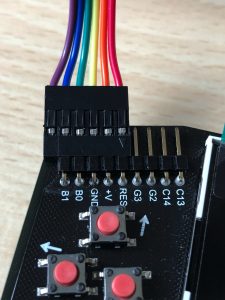
Important: the left pin is unconnected!
3. Flash the Firmware
Open MPLAB IDE, choose 32-bit MCU, device PIC32MX370F512H. Select the firmware hex file and click "Program".
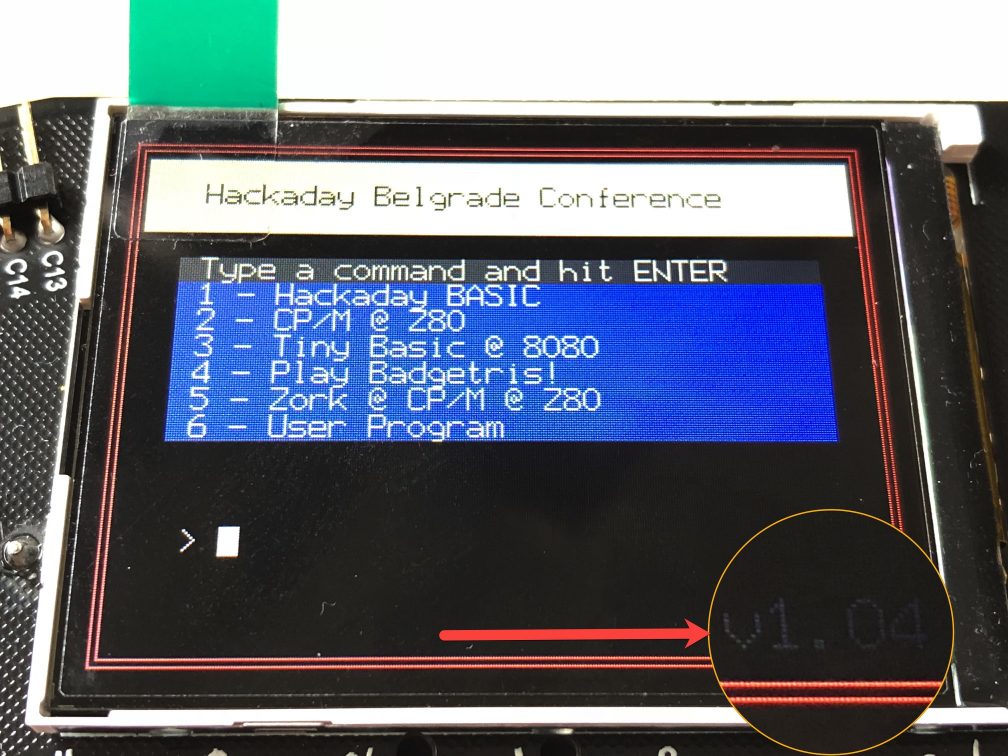
4. Verify
After success, you'll see v1.04 in the bottom right corner of the badge display:
Using the Badge as a Serial Terminal
Wiring
| Badge Pin | Serial Cable |
|---|---|
| GND | Ground |
| TX (C14) | RX (white) |
| RX (C13) | TX (green) |
| Leave voltage disconnected | Red wire — do not connect |
Connect
screen /dev/tty.XXXYYY 19200BASIC Program
Write this on the badge to transmit typed keys over serial:
10 cls
15 wait 500
20 PRINT MyTerminal
30 k = kin 1
40 out k
50 goto 10
Everything typed on the badge will appear in your terminal!
From PIC to AI
The Hackaday community in Belgrade has always been at the intersection of hardware and software — from flashing PIC microcontrollers to building custom AI systems. The same curiosity that drives you to flash a conference badge is what drives us to fine-tune language models.
This article is from the ai.rs archive (originally published on the old ai.rs tech blog). Today, ai.rs builds custom AI assistants for businesses.
Explore what we do now:
- What Is AI, Really? — Start here if you're new to AI
- What is an LLM and How to Deploy It — Technical deep-dive for developers
- Your AI Sales Associate That Never Sleeps — See how AI works for business
- How It Works — Our custom AI service, from your data to a live assistant